
The notification
Quick access to resources
Here you’ll find quick access to our three resources.

The notification
What is a notification?
A (digital) notification is: “A short informational message sent automatically via digital means.” (Le Robert)
It can take several forms:
- sound,
- vibration,
- status bar icon,
- notification dots,
- banners
- …
It may be issued by:
- an app,
- a website,
- an operating system
- …
What does a notification visually look like?
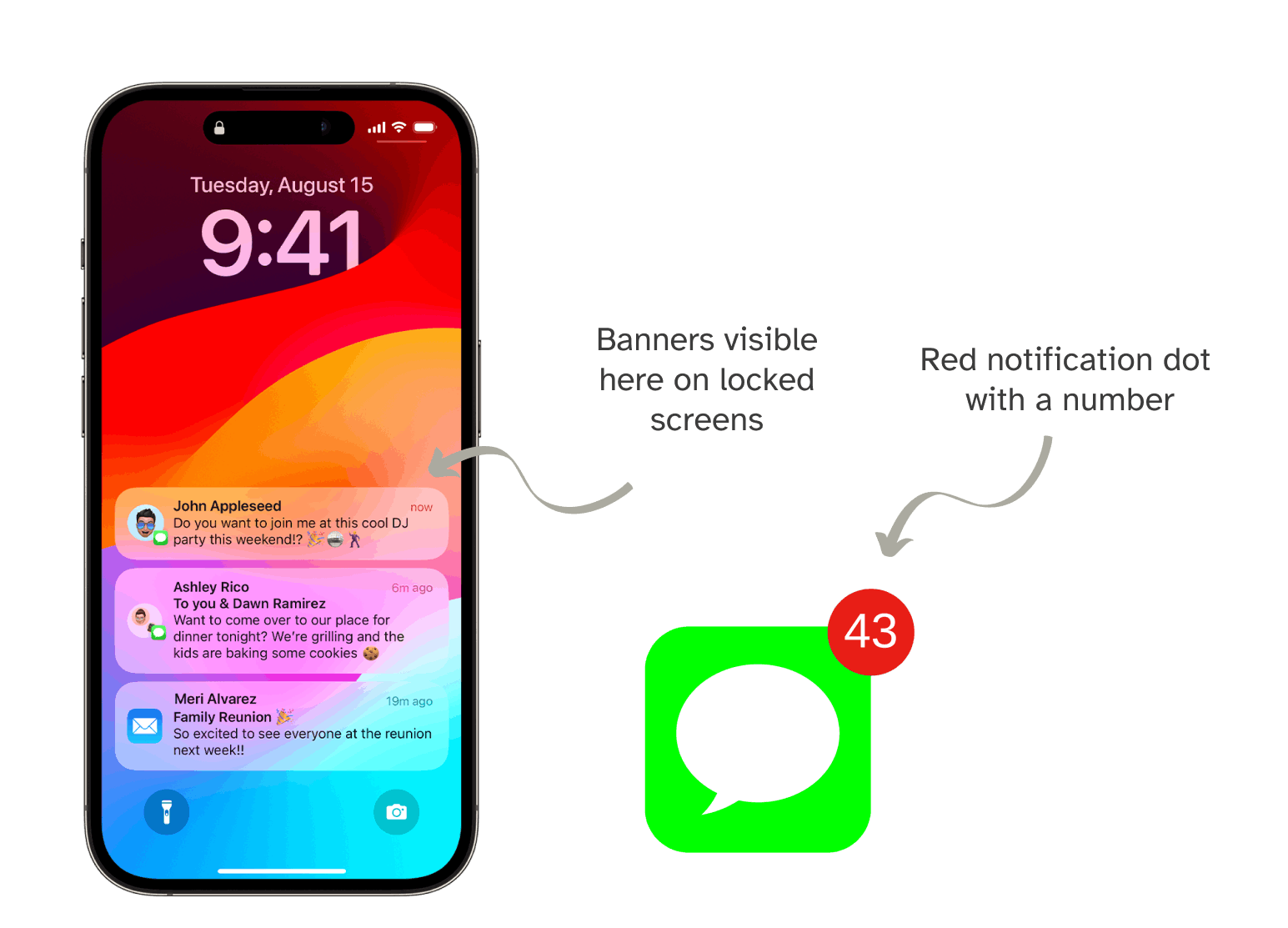
On a smartphone, a notification can take the form of:
- banner (short message) on a locked smartphone screen;
- banner (short message) that appears at the top of the smartphone screen during use;
- red notification dot (number in a red circle) on the app icon.
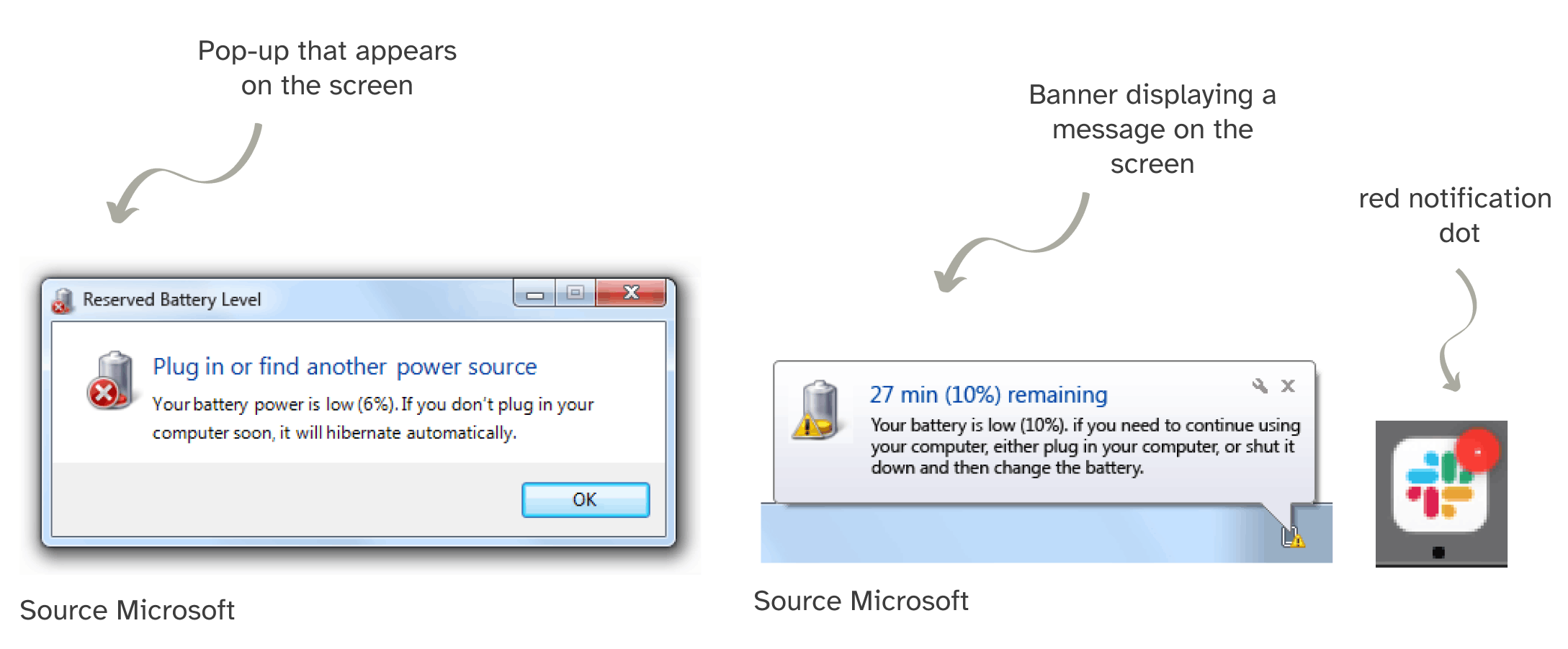
On a desktop, a notification can take the form of:
- banner (short message) that appears on the screen (top right on iOS and bottom right on Windows). For example: new message, computer battery low;
- a pop-up with a message that appears on the screen. For example: update to be installed, the computer has run out of battery;
- a red notification dot (a dot in a red circle) on the app icon.
On a web app (website), a notification can take the form of:
- banner (short message) that appears at the top of the screen. For example: document is currently being downloaded.

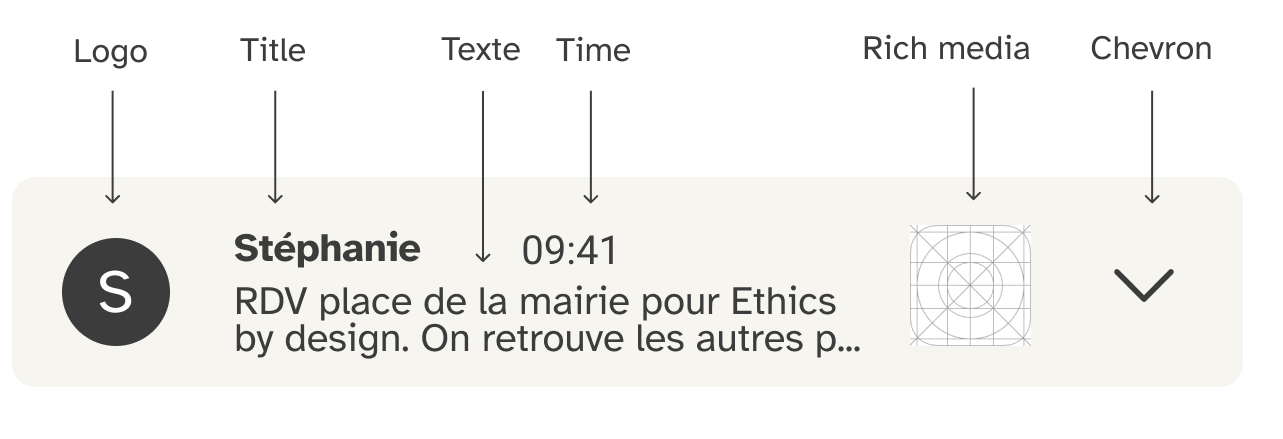
Let's take a closer look at the structure of a banner notification.
The anatomy of a banner notification may include:
- an icon or logo;
- a title;
- text;
- a timestamp;
- rich media (such as a video or audio clip);
- a chevron (allowing users to view the full details of the notification).
Further reading
- Ontology for the Annotation of Push-Notifications (2022 ) : https://protect.oeg.fi.upm.es/apn/apn.html
- Article on the anatomy of a notification (2023) : https://uxdesign.cc/anatomy-of-a-notification-c9ad2cb5b6d5
What are notifications used for?
- Provide information: for example, to announce a promotion on a product or indicate which track is currently playing;
- Announce an action that has been completed: for example, to announce that a post published on a social media platform has been liked;
- Announce an action to be taken: for example, to confirm an online payment, or to indicate that an update is available;
- Send a reminder: for example, to remind someone of an appointment in their calendar;
- Alert: for example, to announce the arrival of a storm or a kidnapping.
Why work on more respectful notifications?
Notifications, a part of everyday life
We come across notifications every day, whether they’re our own or other people’s. There isn’t a single place where we don’t interact with them.
Notifications, an interface feature that affects our daily lives
Notifications may be:
- beneficial and provide us with useful, even crucial, information (for example, about natural disasters);
- used primarily to encourage us to make purchases and/or stay on an app.
With between 50 and 80 notifications received each day (76 in our 2024 study on notification usage, 56 in the 2018 study by Pielot et al., and 63.5 in the 2014 study by Pielot et al.), this interface element, which may seem insignificant, actually has a significant impact on our lives.
Issues related to notifications
Notifications have an impact on:
- The attention required by the large number of daily notifications. Notifications distract the user. They affect the duration of the task being carried out, as the user will spend time getting back to work (see the 2017 study [Wilmer et al., 2017]).
- Digital and non-digital usage, encouraging heavy or even intensive use and over-reliance on digital tools, leaving little room for disconnection.
- Cyberviolence in cases of cyberbullying or cyberviolence. Notifications play a major role in the flood of messages experienced by victims.
- The dissemination of high-quality information. By its very nature, a news alert is concise and highlights key points; it can even influence the media to report on a story before it has been confirmed (for example, in this case, regarding the reported death of Martin Bouygues).
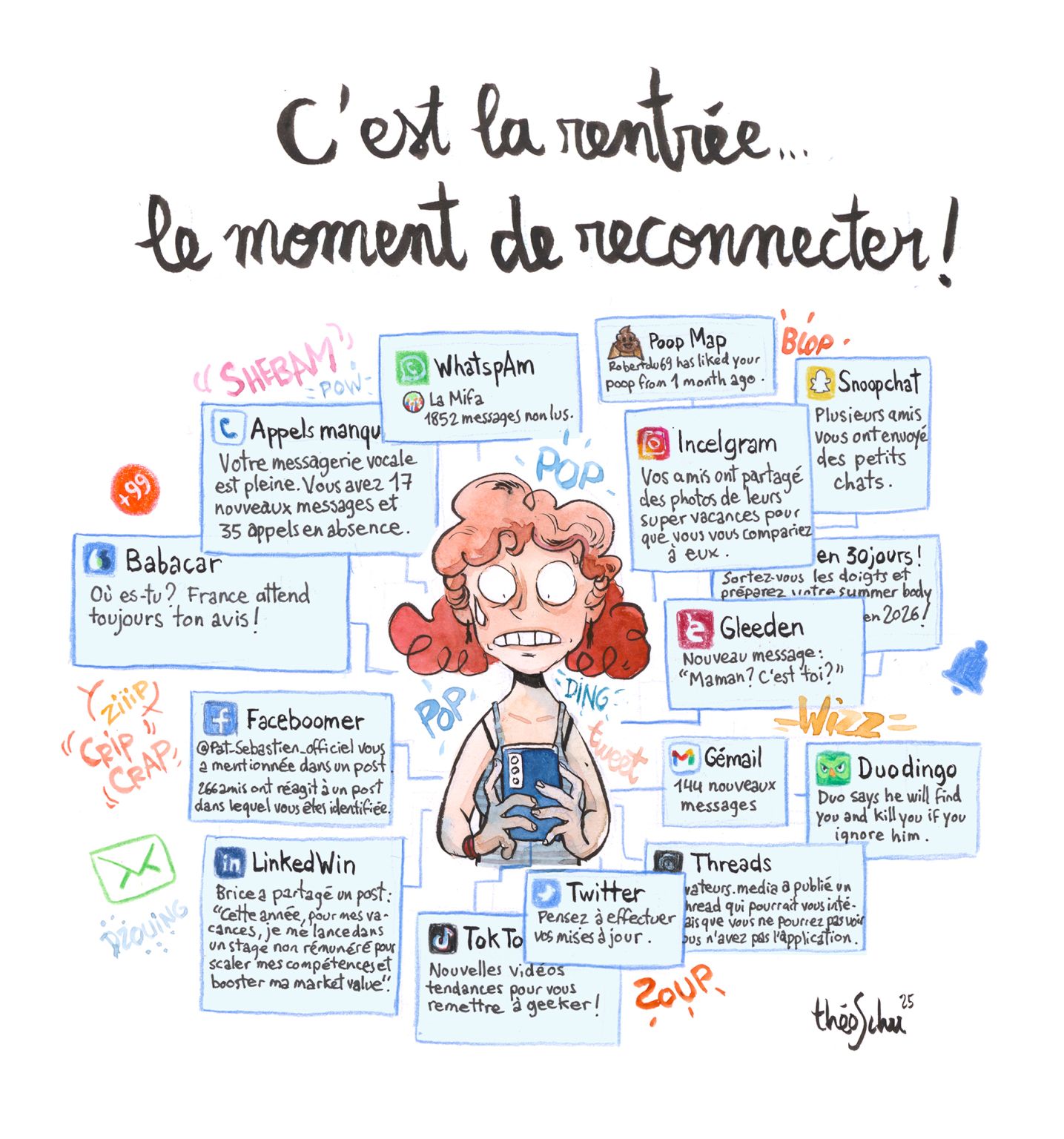
The impact of this excessive workload can be even more noticeable at certain times of the year, such as at the start of the new school year.
Notifications and productivity
According to Marcello Vitali-Rosati in his book In Praise of the Bug: Being Free in the Digital Age (Éloge du bug, être libre à l’époque du numérique) :
“The smooth functioning [of a digital app] is synonymous with unlimited reach across space and time, and instant messaging apps have taken a trend started by email to the extreme. [...] A series of ergonomic and design choices push in this direction: notifications or the three little dots that appear when the person we’re messaging is typing. Messaging has become a genuine tool for mobilisation aimed at a radical increase in productivity. And once again, we get the impression that a messaging app is all the better for enabling this constant mobilisation. ‘It works well’, in this case, means that an app allows us to stay connected everywhere, ensuring that those who use it are always reachable, alerting them if they ever get distracted and risk missing a message or replying a few moments late.”
So, our digital tools that ‘work well’ are in fact what enable us to be reachable without limit, regardless of time or place. As a result, we are more productive than ever (with no possibility of distraction), and we will never miss a message or a notification again.
Our objectives
Our objectives through this project are to:
- provide a set of best practices for more respectful notifications;
- enable anyone designing digital services to have the tools to incorporate less intrusive notifications;
- ensure that services have the least possible impact on citizens.
The stages of the project
Research and scoping of the topic from December 2023 to February 2024.
We held brainstorming sessions on notifications. We reviewed studies, podcasts and other material on the topic of notifications.
Interviews and analysis from February 2024 to September 2024.
We developed an interview protocol and met with 33 people (the interviews were conducted by 5 different interviewers).
Prototyping and conceptualisation from October 2024 to September 2025.
We have developed guidelines for better design practices to ensure notifications are more user-friendly, as well as a decision tree to help determine when to add a notification.